


 AGCO
AGCO ALLISON
 BENDIX
 BOBCAT
 CAT
CAT CLAAS
CLAAS CNH
CNH DAF
DAF DETROIT
 EATON
EATON FREIGHTLINER
 HINO
HINO HITACHI
 ISUZU
ISUZU JCB
JCB JOHN DEERE
 JPROZZ
 MAGIC TUNER
 MAN
MAN Navistar
 NEXIQ
NEXIQ PACCAR
 PERKINS
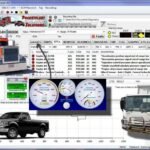 PF DIAGNOSE
 PSI POWERLINK
 RENAULT
 SCANIA
 THERMO KING
 UD NISSAN
 VOLVO
VOLVO WABCO
WABCO ZF TESTMAN
 BELL
BELL BENDIX
 BOBCAT
 CARRIE
 DAF
DAF DETROIT
 DEUTZ
DEUTZ EATON
EATON FUSO
FUSO MACK
MACK
 Cumminz
 ISB4.5 CM2150
 All Engines (2017 Emissions)
 PACCAR

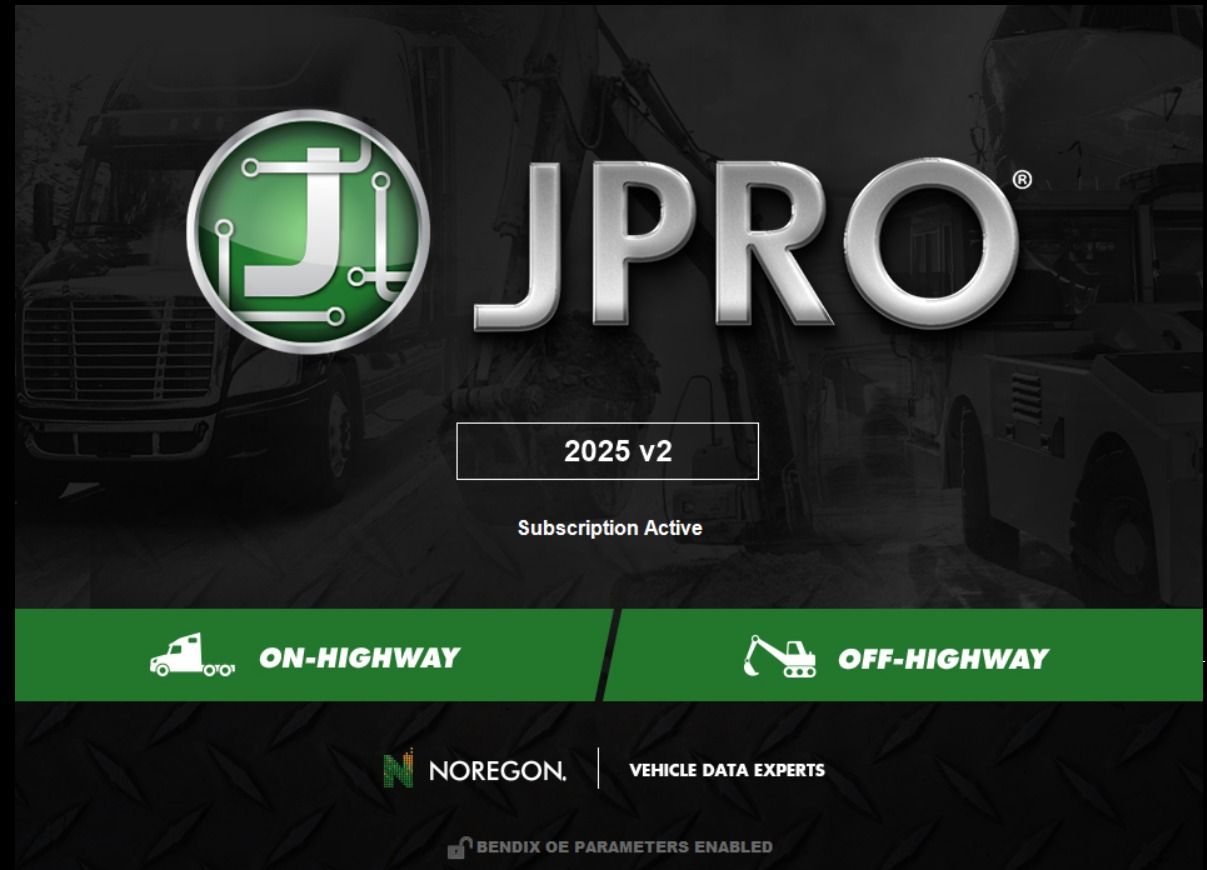


JPROz 2025 V2 Diagnostic Software: Streamline Truck and Heavy Machinery Diagnostics
JPROz 2025 V2 is a diagnostic software designed for heavy machinery and trucks. It offers advanced features for technicians to efficiently identify and resolve vehicle issues. The software supports a wide range of truck brands and heavy equipment models. Its user-friendly interface ensures easy navigation and accessibility for all users. Installation can be completed remotely via TeamViewer, providing convenience and quick setup.
What is JPROz 2025 V2?
JPROz 2025 V2 serves as a cutting-edge solution for vehicle diagnostics, enhancing efficiency in troubleshooting issues found in heavy-duty trucks and machinery.
Features Overview
This software encompasses a comprehensive suite of diagnostic tools tailored to the needs of technicians and fleet managers. Key features include:
- Robust code reading and clearing capabilities that allow for precise problem identification.
- Real-time parameter monitoring, enabling users to observe vehicle performance metrics on the fly.
- Compatibility across various truck brands and types of heavy machinery.
Key Benefits
The adoption of JPROz 2025 V2 yields significant improvements in operational performance.
Increased Efficiency
By streamlining the diagnostic process, this software minimizes vehicle downtime. Technicians can swiftly detect malfunctions, allowing for quicker repairs and enhancing overall fleet productivity.
Cost Savings
The ability to conduct accurate diagnostics reduces unnecessary repairs, subsequently lowering operational costs for fleets. Users can avoid costly mistakes and utilize resources more effectively.
Frequent Updates
JPROz 2025 V2 benefits from regular software updates, which include new features and improvements. This ensures that users have access to the latest diagnostic codes and compliance information, facilitating better maintenance practices.
Compatibility with Vehicles and Systems
This diagnostic software is designed to work seamlessly with a wide array of truck brands and heavy machinery systems. Its extensive compatibility ensures that technicians can address issues across various vehicle types effectively.
Supported Truck Brands
JPROz 2025 V2 supports numerous truck brands, enhancing its usability for diverse fleets. The software is built to adapt to various manufacturer specifications, which is vital for efficient diagnostics.
Cummins and Detroit Diesel
This software provides comprehensive support for Cummins and Detroit Diesel engines. Technicians can easily access error codes, monitor parameters, and execute diagnostic tests specific to these powerful engine brands.
Volvo and Mack
With specialized features for Volvo and Mack trucks, JPROz 2025 V2 allows for detailed diagnostics, helping mechanics pinpoint issues swiftly. The compatibility with these brands ensures that users can maintain and repair vehicles effectively.
Heavy Machinery Diagnostics
Beyond trucks, the software extends its functionality to various heavy machinery, catering to industries such as construction and agriculture. Its adaptability to different systems underscores its importance in the field.
Caterpillar and John Deere
For Caterpillar and John Deere machinery, technicians can perform thorough diagnostics, facilitating preventative maintenance and timely repairs. The software’s deep integration with these brands reduces diagnostic wait times.
Komatsu and Kubota
JPROz 2025 V2 is also compatible with Komatsu and Kubota equipment. This capability allows operators and technicians to ensure optimal performance across a range of machinery types, enhancing overall efficiency in operations.
User-Friendly Interface
The design of JPROz 2025 V2 focuses on creating an intuitive user experience that enhances overall efficiency in diagnostics. The interface integrates various tools and options seamlessly, allowing users to navigate effortlessly.
Multi-language Support
Offering a multi-language interface is one of the standout features of JPROz 2025 V2. This capability ensures that technicians from different linguistic backgrounds can easily utilize the software. The interface supports several languages, including:
- English
- Spanish
- French
- German
This wide-ranging language support facilitates broader user adoption and helps in training personnel across diverse regions.
Navigation and Ease of Use
The software’s user interface is designed for quick navigation, aiding technicians in locating necessary functions with minimal effort. Key elements of the interface include:
- Intuitive menu layouts that categorize diagnostic options logically
- Customizable dashboard for quick access to frequently used tools
- Interactive features that guide users through complex diagnostic procedures
Such thoughtful design contributes to minimizing the learning curve for new users, ultimately making diagnostics more efficient and effective.
Connectivity and Interface Options
Effective connectivity is crucial for seamless diagnostics. JPRO 2025 V2 offers robust interface options that enhance its functionality across numerous vehicle systems.
Adapter Compatibility
Various adapters are essential for the connection between the software and vehicles, ensuring reliable diagnostics.
Nexiq USB Link
The Nexiq USB Link provides a dependable bridge for diagnostics, allowing efficient communication between JPRO 2025 V2 and heavy-duty trucks. Its compatibility with a wide range of vehicles makes it a preferred choice among professionals.
Dearborn Adapter
This adapter is widely recognized in the industry and supports various diagnostic functions. It facilitates the connection required to perform effective diagnostics and reprogramming tasks on numerous truck models.
Communication Protocols
Communication protocols play a vital role in how well the software interacts with vehicles.
Noregon DLA
The Noregon DLA is designed for high-performance diagnostics. It supports USB connections, enabling users to perform diagnostics, reprogramming, and parameter adjustments efficiently.
JPROz Software System
The JPROz software system integrates smoothly with various protocols to ensure a comprehensive diagnostic experience. Its adaptability to different diagnostic needs enhances overall functionality, making it a critical tool for technicians.
Installation and Support
Efficient installation and ongoing support are essential for maximizing the benefits of diagnostic software in the field. Understanding the installation process and available support resources is crucial for users.
Installation Process via TeamViewer
The installation of the software is streamlined through TeamViewer, allowing technicians to set it up remotely. This method ensures that users can quickly access the software without needing on-site support, reducing downtime significantly. During the installation, technicians can guide users step-by-step, addressing any immediate concerns that may arise.
Support Resources
A range of support resources is available to assist users in navigating and utilizing the software effectively.
Training Videos
Comprehensive training videos are provided to educate users about the features and functionalities of the software. These videos cover various topics, including how to perform diagnostics, interpret results, and utilize advanced features. The visual aid helps users learn at their own pace and reinforces the understanding of the software.
Customer Support Services
Dedicated customer support services are available for users requiring additional assistance. This includes access to technical support representatives who can provide troubleshooting advice and resolve issues efficiently. Users can expect timely responses, ensuring they remain productive while using the software.
Comparison with Other Diagnostic Software
Evaluating diagnostic software options is essential for technicians seeking the best tools for vehicle maintenance.
Interface and Usability
The user interface of diagnostic software plays a crucial role in its effectiveness. JPRO 2025 V2 stands out for its intuitive design that prioritizes ease of use. This software allows for quick navigation, which is particularly beneficial during time-sensitive diagnostics. Users can effortlessly access necessary features, minimizing setup time and enhancing workflow efficiency.
In contrast, many competing diagnostic programs often have less user-friendly interfaces. These alternatives may require extensive training or experience to operate effectively, leading to potential delays and inefficiencies in diagnostics.
Flexibility and Adaptability
Flexibility in diagnostic tools ensures that they meet a variety of user needs. JPRO 2025 V2 supports a vast range of vehicle makes and models, giving it an edge over other systems that may be restricted to specific manufacturers.
- Adaptability to different types of vehicles and machinery enhances its usability across various sectors.
- Being compatible with multiple communication protocols allows it to be used with several diagnostic adapters, further increasing its versatility.
This level of adaptability not only meets current demands but also enables the software to stay relevant as new technologies and vehicles emerge in the market.
Frequently Asked Questions
This section addresses common inquiries related to JPRO 2025 V2, focusing on troubleshooting and performance optimization. Here are essential points to consider.
How to Troubleshoot Common Issues
Users may encounter various issues while operating the software. Here are some effective troubleshooting steps:
- Ensure the software is updated to the latest version, as updates often resolve known bugs.
- Verify the connectivity between the diagnostic tool and the vehicle. Check all cables and adapters for damage.
- Refer to the error codes displayed; they often provide specific information on the problem.
- Restart the software and the laptop to clear any temporary glitches.
Tips for Optimal Software Performance
To ensure smooth operation and reliability, consider the following recommendations:
- Regularly update the software to access new features and improvements.
- Utilize the multi-language option to enhance understanding and usability.
- Maintain a clean system to prevent slowdowns; this includes deleting unnecessary files and programs.
- Familiarize with the interface through training videos to accelerate proficiency.

Reviews
Clear filtersThere are no reviews yet.