


 AGCO
AGCO ALLISON
 BENDIX
 BOBCAT
 CAT
CAT CLAAS
CLAAS CNH
CNH DAF
DAF DETROIT
 EATON
EATON FREIGHTLINER
 HINO
HINO HITACHI
 ISUZU
ISUZU JCB
JCB JOHN DEERE
 JPROZZ
 MAGIC TUNER
 MAN
MAN Navistar
 NEXIQ
NEXIQ PACCAR
 PERKINS
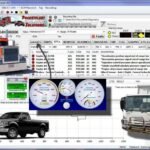 PF DIAGNOSE
 PSI POWERLINK
 RENAULT
 SCANIA
 THERMO KING
 UD NISSAN
 VOLVO
VOLVO WABCO
WABCO ZF TESTMAN
 BELL
BELL BENDIX
 BOBCAT
 CARRIE
 DAF
DAF DETROIT
 DEUTZ
DEUTZ EATON
EATON FUSO
FUSO MACK
MACK
 Cumminz
 ISB4.5 CM2150
 All Engines (2017 Emissions)
 PACCAR


Hino DX3 2025 Diagnostic Software: Key Features and Benefits
The Hino DX3 2025 Diagnostic Software is an essential tool for diagnosing and maintaining Hino trucks. It provides comprehensive features for engine diagnostics, module programming, and vehicle customization. Users can access activation tests, monitor engine performance, and adjust settings for improved efficiency. Installation is straightforward, with support available via TeamViewer, ensuring that users can set up the software quickly and efficiently.
Features and Capabilities of Hino DX3 Diagnostic Software
The Hino DX3 Diagnostic Software offers an extensive range of functionalities tailored for effective vehicle diagnostics and performance monitoring.
Engine and Control Module Diagnostics
This aspect focuses on evaluating engine performance and identifying potential issues within the control modules.
Reading DTCs and Data Parameter Monitoring
The software enables technicians to read Diagnostic Trouble Codes (DTCs) swiftly. This feature allows for quick identification of faults within the system, aiding in efficient repairs. Furthermore, it provides real-time monitoring of data parameters, ensuring that all engine components function optimally.
Activation Tests for Engine Components
Through activation tests, users can directly engage specific engine components, such as injectors and other critical systems. This capability ensures that all parts are operating within their designed parameters, helping to detect issues before they escalate.
Vehicle Settings and Customization
Customizing vehicle settings is crucial for optimizing performance according to the specific needs of operators.
Cruise Speed and PTO Shutdown Settings
The software allows adjustments to cruise speed settings and Power Take-Off (PTO) shutdown mechanisms. These enhancements enable better control over fuel efficiency and operational effectiveness.
System Protection and Maintenance Intervals
Setting up system protection features is vital for maintaining the integrity of engine components. Additionally, users can schedule maintenance intervals, allowing for proactive servicing and reducing the risk of major repairs.
Module Programming and Calibration
This segment covers essential programming functions for maintaining optimal engine performance.
Injector Calibration Codes and Special Learning
Users can access injector calibration codes necessary for fine-tuning engine performance. Special learning programs enhance the understanding of injector behavior under various conditions.
Reset Procedures for DPR and Data Parameters
Resetting procedures for Diesel Particulate Reduction (DPR) and other data parameters are facilitated via the software. This function aids technicians in quickly restoring systems to their standard operations when errors arise.
System Requirements and Installation Process
The successful deployment of the diagnostic software hinges on meeting specific system requirements. Understanding these guidelines ensures optimal performance and efficient installation.
Hardware and Software Compatibility
For smooth operation, certain hardware and software specifications must be adhered to. These criteria enable users to harness the capabilities of diagnostic software effectively.
Supported Operating Systems and Hardware Specs
- Compatible with Windows 10 (64-bit) and Windows 11 (64-bit).
- A minimum processor of 700MHz is required, although a more robust 2.0 GHz processor is recommended.
- At least 128 MB of RAM is necessary, with 256 MB being ideal for optimal performance.
- GB of free hard disk space is needed to accommodate the software.
USB Interface and Communication Settings
The software operates using a USB interface for communication with engine control units. This connectivity is crucial for reliable data transmission and diagnostics.
Installation via TeamViewer and Setup Guidance
A remote installation process through TeamViewer simplifies setup, providing convenience and efficiency.
Step-by-Step Remote Installation Support
The remote installation support includes comprehensive guidance, making the setup straightforward for users. This ensures that all required configurations are properly executed.
Interface Setting Language and Print Configuration
Users can customize their interface settings, including the language option and printing configurations, to match their preferences and operational requirements.
Benefits and Practical Applications for Users
The Hino DX3 2025 Diagnostic Software provides numerous advantages for technicians and fleet operators, enhancing operational efficiency and reducing repair costs significantly.
Operational Efficiency and Repair Cost Reduction
This software streamlines the diagnostic process, allowing for quicker identification of issues. As a result:
- Diagnostic Reports and Data Returns: Users receive comprehensive reports that help in tracking vehicle conditions over time.
- Monitoring Engine Protection Settings: Continuous observation of critical parameters prevents potential failures, ensuring vehicles run optimally.
Flexibility and Support Features
One of the standout aspects of the Hino DX3 is its adaptability to various diagnostic environments:
- Bluetooth Connectivity and Field Diagnostics: The system supports wireless connections, enabling on-site diagnostics without needing to return to the shop.
- Training Programs and Online Technical Support: Hino offers a range of training options to ensure users are well-versed in utilizing the software efficiently.
Compatibility with Other Diagnostic Tools
This software seamlessly integrates with various diagnostic systems, amplifying its utility:
- Integration with NEXIQ, Cojali Jaltest, and Texa Systems: Users can leverage existing tools alongside the DX3 for enhanced diagnostics.
- Use with Diesel Laptops and Off Highway Equipment: The flexibility to connect with multiple types of machinery broadens its application in the field.
Troubleshooting and Advanced Support
This section focuses on addressing common issues and advanced support options available for the Hino DX3 software, allowing users to resolve problems efficiently.
Common Communication Interface Issues
Often, users may encounter communication problems between the diagnostic software and the vehicle’s control units. These issues can lead to incorrect diagnostics or unresponsive systems.
System Related Memory Errors and Data Reset Solutions
Memory errors can manifest when the software fails to access the necessary data from the vehicle’s ECU. In such cases, performing a data reset can help. Key steps include:
- Disconnecting and reconnecting the interface to refresh communication.
- Using the reset function in the software to clear any temporary glitches.
- Rebooting the diagnostic tool to restore its operational integrity.
Protection Data Reset and ECU Diagnostics
Resetting the protection data is essential for ensuring all safety measures are correctly configured. Follow these methods:
- Access the protection settings menu within the software.
- Execute the reset procedure to restore factory settings.
- Run a diagnostic check post-reset to verify proper ECU functionality.
Special Reset and Calibration Procedures
Advanced users may need to perform specific resets and calibrations to optimize vehicle performance.
Reset Special Learning and Codes Reset
This process involves resetting special learning functions, ensuring that the ECU adapts to new parameters effectively. Steps involved include:
- Navigating to the special learning section in the software.
- Executing the reset for any learned values.
Injector Components and SCR System Testing
Testing the SCR system and injector components is critical for maintaining optimal engine performance. The software facilitates these tests through organized procedures:
- Select the injector testing option and follow on-screen instructions.
- Conduct SCR system checks to confirm its proper operation.

Reviews
Clear filtersThere are no reviews yet.