


 AGCO
AGCO ALLISON
 BENDIX
 BOBCAT
 CAT
CAT CLAAS
CLAAS CNH
CNH DAF
DAF DETROIT
 EATON
EATON FREIGHTLINER
 HINO
HINO HITACHI
 ISUZU
ISUZU JCB
JCB JOHN DEERE
 JPROZZ
 MAGIC TUNER
 MAN
MAN Navistar
 NEXIQ
NEXIQ PACCAR
 PERKINS
 PF DIAGNOSE
 PSI POWERLINK
 RENAULT
 SCANIA
 THERMO KING
 UD NISSAN
 VOLVO
VOLVO WABCO
WABCO ZF TESTMAN
 BELL
BELL BENDIX
 BOBCAT
 CARRIE
 DAF
DAF DETROIT
 DEUTZ
DEUTZ EATON
EATON FUSO
FUSO MACK
MACK
 Cumminz
 ISB4.5 CM2150
 All Engines (2017 Emissions)
 PACCAR


EATON SERVICE RANGER SOFTWARE 4.13 2025: The Future of Heavy-Duty Diagnostics
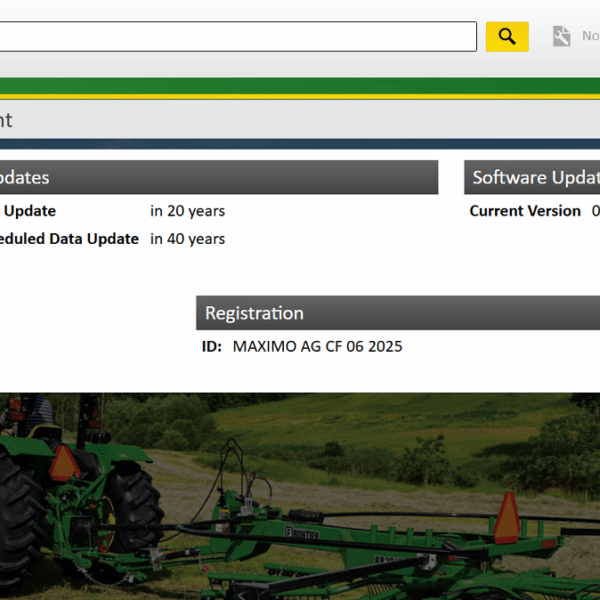
EATON SERVICE RANGER SOFTWARE 4.13 is a diagnostic tool designed specifically for heavy-duty vehicles and systems. This software simplifies maintenance and repair tasks by providing essential features for effective troubleshooting and calibration. The installation process utilizes TeamViewer for remote access, ensuring a seamless setup experience. This software enhances diagnostics for various vehicle types, making it a vital resource for technicians working in the heavy machinery sector.
Overview of Eaton Service Ranger Software 4.13
This section provides an overview of the Eaton Service Ranger Software 4.13, highlighting its purpose, supported vehicle types, and enhancements compared to earlier versions.
Purpose and Key Benefits
The Eaton Service Ranger Software 4.13 aims to streamline the diagnostic and maintenance processes for heavy-duty vehicles. With its advanced features, the software enhances efficiency and minimizes downtime for fleet operators. Key benefits include:
- Real-time diagnostics that help technicians quickly identify and resolve issues.
- A user-friendly interface designed for ease of navigation, reducing training time for users.
- Regular updates that ensure technicians have access to the latest diagnostic tools and information.
Supported Vehicle Types and Systems
This software is compatible with a wide range of heavy-duty vehicles and systems. It includes support for both conventional and hybrid powertrains, making it versatile for various applications. The vehicles that can be diagnosed using Eaton Service Ranger Software 4.13 include:
- Trucks equipped with Eaton automated transmissions.
- Fleet vehicles utilizing hybrid electric systems.
- Various heavy machinery types needing advanced diagnostic capabilities.
Comparison with Previous Versions
When compared to earlier iterations, Eaton Service Ranger Software 4.13 introduces significant improvements in functionality. Enhancements involve:
- Faster data processing speeds, allowing for quicker fault diagnosis and repairs.
- Expanded compatibility with newer vehicle models and systems.
- Refined user interface that simplifies diagnostic navigation and access to tools.
Core Diagnostic Features
The Eaton Service Ranger software presents a robust suite of diagnostic features designed for heavy-duty vehicles. These tools simplify the identification and resolution of issues within complex systems, enhancing the overall reliability of vehicle performance.
Fault Codes Reading and Clearing
This feature allows technicians to quickly identify issues through fault code retrieval and clearing. By utilizing this function, maintenance processes become more efficient, minimizing downtime.
Accessing Fault Codes in Real Time
Real-time access to fault codes is crucial for immediate diagnostics. Technicians can monitor vehicle performance continuously, ensuring that any developing issues are detected as they arise. This functionality provides significant advantages in rapidly changing operational environments.
Managing Diagnostic Trouble Codes (DTCs)
Effectively managing DTCs is vital for precise diagnostics. The software offers comprehensive tools for reading, interpreting, and clearing trouble codes. This adds clarity to the diagnosis process, allowing users to focus on essential repairs rather than deciphering codes without context.
Live Data Monitoring
Live data monitoring capabilities allow for dynamic assessments of vehicle systems. This real-time information is crucial for diagnosing performance issues effectively.
Performance Data Streaming
Performance data streaming provides ongoing insights into various operational parameters. Technicians can analyze metrics such as engine performance, fuel efficiency, and system health without delays, significantly improving diagnostic accuracy.
Identifying Complex Problems Affecting Vehicle Systems
These monitoring tools facilitate the identification of intricate issues that traditional diagnostic methods might overlook. By streaming live data, technicians gain a comprehensive view of interconnected vehicle systems, leading to more effective troubleshooting.
Diagnostic Routines and Service Support
Diagnostic routines within the service software automate many traditional processes, enhancing overall service efficiency. These routines can be customized to suit specific maintenance needs.
Running Automated Service Routines
Automated service routines save time and effort by executing predefined diagnostic checks and maintenance tasks. They ensure that all critical components receive the necessary attention during service intervals.
Collision Warning System Diagnostics
Specialized diagnostics for collision warning systems are also included. This functionality helps ensure that safety features are operational and alerts technicians to any issues that might compromise vehicle safety, fostering a proactive maintenance culture.
Calibration and Programming Tools
Calibration and programming tools are essential for optimizing vehicle performance and ensuring proper functionality of systems. This section discusses the automated processes and functionalities offered for efficient adjustments.
Automated Transmission Calibration
This feature is designed to enhance the performance and efficiency of automatic transmissions. The calibration process allows for precise adjustments that ensure vehicles are operating at their best.
Adjusting Transmission Control Module Parameters
Technicians can modify specific settings within the Transmission Control Module (TCM) to achieve optimal operation. This includes fine-tuning shift points, adapting to driving styles, and modifying torque converter lock-up characteristics. These adjustments can lead to improved fuel efficiency and smoother handling, crucial for heavy-duty vehicles.
Calibration Tool Features for Eaton Hybrid Systems
Eaton’s calibration tools are tailored for hybrid vehicle systems, allowing for adjustments that maximize the efficiency of the hybrid technology. These tools facilitate the synchronization of electric and internal combustion engine performance, ensuring seamless transitions between power sources and overall better fuel economy.
Uploading and Managing Calibration Files
Efficient management of calibration files is vital for maintaining vehicle performance. This capability allows for easy updates and adjustments as requirements change or new improvements are developed.
Ensuring Optimal System Performance Through Calibration
Regular calibration is essential for sustaining performance standards. This practice minimizes wear and tear on vehicle components and enhances reliability. By continuously monitoring and refining calibration settings, operators can ensure that vehicles respond accurately to operational demands, extending their lifespan and improving overall efficiency.
Installation Process and System Requirements
The installation of Eaton Service Ranger Software is streamlined and user-friendly. Utilizing TeamViewer, this process allows for efficient remote setup, making it accessible and straightforward for technicians.
Downloading and Installing via TeamViewer
TeamViewer provides a robust platform for downloading and installing the software effectively. This approach eliminates the hassle of traditional installation methods, ensuring that users can get started promptly.
Step-by-Step Installation Guide
- Begin by downloading TeamViewer from its official site. Ensure the latest version is installed to avoid any compatibility issues.
- Establish a connection with the technician through the TeamViewer interface. Provide the necessary connection ID for remote assistance.
- Once connected, download the Eaton Service Ranger installation file as guided. Follow the on-screen prompts for a seamless installation experience.
- Complete the setup by agreeing to terms and conditions, then install required components as directed.
- Finally, restart the computer to finalize the installation. This ensures all system components are properly configured.
Online Installation Service Advantages
Utilizing TeamViewer not only speeds up the installation process but also enhances support. Technicians can troubleshoot in real-time, ensuring that any discrepancies are resolved without delay. This method significantly decreases downtimes associated with manual installations and fosters a streamlined experience.
Compatible Operating Systems and Hardware
To ensure optimal performance, users must verify compatibility with their systems. The software relies on modern technology and specifications to function effectively.
Windows 10 and 11 Supported Versions
The Eaton Service Ranger Software supports Windows 10 and Windows 11. Version updates on these platforms ensure that usability and performance are maintained.
Processor, RAM, and Storage Recommendations
- A minimum Intel i3 processor or equivalent is recommended for efficient operation.
- The software requires at least 4 GB of RAM, while 8 GB is suggested for better performance.
- Ensure there is at least 500 MB of free storage space available for the installation files.
Required Software Components (Microsoft .NET Framework)
Proper installation necessitates the Microsoft .NET Framework, essential for the software’s functionality. Users should confirm that this framework is installed before proceeding with installation to avoid any operational issues.
Vehicle Link Adapters and Connectivity
Understanding the importance of vehicle link adapters is essential for effective diagnostics in heavy-duty vehicles. These adapters enable seamless communication between the diagnostic software and the vehicle’s electronic systems.
Approved RP1210A Communication Adapters
Using approved RP1210A communication adapters ensures compatibility with various vehicle types and systems. These adapters are vital for accessing diagnostic information accurately and efficiently.
Adapters That Are Approved and Tested With Service Ranger
A selection of adapters has undergone rigorous testing to confirm their reliability with Eaton Service Ranger software. These certified adapters include:
- Nexiq USB-Link 2
- DLA+, DLA Lite
- CarDAQ-Plus 3
Each of these adapters is designed to facilitate robust connections and provide stable communication channels critical for vehicle diagnostics.
Compatible Link Adapters and Their Features
In addition to the approved adapters, there are other compatible link options available on the market. These include:
- Wireless communication capabilities for enhanced mobility.
- Multi-protocol support to cater to different vehicle manufacturers.
- Integrated Bluetooth for convenient connectivity without physical cables.
Such features allow technicians to work efficiently while diagnosing issues across multiple platforms.
Using Adapters for Heavy-Duty Vehicle Diagnostics
Implementing the right link adapter is crucial for effective diagnostics in heavy-duty vehicles. They provide the necessary interface between the diagnostic tool and the vehicle’s electronic systems.
Connecting to Transmission Control Module (TCM)
Establishing a connection to the transmission control module is essential for resolving transmission-related issues. The adapter facilitates the communication needed to read and clear fault codes directly from the TCM.
Power Distribution and Control System Diagnostics
The ability to diagnose power distribution and control systems is another significant advantage of using these adapters. Technicians can assess operational status, identify faults, and ensure all components are functioning as intended.




Reviews
Clear filtersThere are no reviews yet.