ALLISON DOC DIAGNOSTIC TOOL: Essential Guide for Vehicle Maintenance
The Allison DOC Diagnostic Tool is a vital software for diagnosing and maintaining heavy machinery and trucks. It supports various transmission product families, enabling efficient troubleshooting and reprogramming. This tool facilitates software updates and provides access to technical information and manuals. It is compatible with Windows OS and integrates well with diagnostic hardware, ensuring seamless operations for fleet management.
Allison DOC Diagnostic Tool Overview
The Allison DOC Diagnostic Tool serves as a vital resource for those involved in the maintenance of heavy machinery and trucks. This software is engineered to enhance diagnostic accuracy and streamline operations within vehicle fleets.
Supported Transmission Product Families
This diagnostic tool supports several transmission product families, catering to the diverse needs of the industry.
Highway and Off Highway Systems
The tool is versatile enough to function with both highway and off-highway transmission systems. This flexibility allows technicians to apply the same diagnostic principles across different vehicle types.
Control Units Compatibility (CEC1, CEC2)
Allison DOC is compatible with various control units, specifically the CEC1 and CEC2 systems. This ensures that technicians can effectively address a wide range of transmission models.
Core Functions and Capabilities
The core functions of the Allison DOC Diagnostic Tool are designed to optimize vehicle performance and facilitate comprehensive diagnostics.
Diagnostic and Troubleshooting Features
Offering an array of diagnostic capabilities, the tool assists in identifying faults, thereby enabling efficient troubleshooting processes for technicians.
Reprogramming and Software Updates
This software not only diagnoses issues but also facilitates reprogramming and updating transmission control modules, ensuring that vehicles operate with the most current software versions.
Access to Technical Information and Manuals
Technicians benefit from having access to an extensive database of technical manuals and information, which aids in quick and effective problem resolution.
Installation and System Requirements
Ensuring proper installation and meeting system requirements is crucial for optimal performance of the diagnostic tool.
Software Installation Process
Installing via TeamViewer Remote Support
The software can be installed remotely using TeamViewer, facilitating access for technicians without the need for physical presence. This method allows for technical support during the installation process, ensuring that all necessary configurations are properly set up.
Hardware Compatibility and Setup
Compatibility with existing hardware is essential. Users should ensure that their systems meet the minimum specifications necessary for the software to function reliably.
Operating System and Network Needs
Windows OS Requirements
The diagnostic software requires a compatible version of Windows. Keeping the operating system updated is important for security and efficiency.
Internet Access for Updates and Licenses
Stable internet access is required for software updates and license activation. Regular connectivity ensures that users can receive the latest features and security enhancements.
Integration with Diagnostic Hardware
Nexiq USB Link and Communication Tools
Integration with devices such as the Nexiq USB Link is necessary for effective communication between the diagnostic software and the vehicle’s systems.
RP1210C Compliance and Standards
Compliance with RP1210C standards ensures that the software can communicate with various vehicle manufacturers’ systems seamlessly, thereby enhancing diagnostic capabilities.
Using Allison DOC Diagnostic Tool Effectively
Effectively utilizing the Allison DOC Diagnostic Tool enhances troubleshooting and fleet maintenance processes significantly.
Diagnostic Testing and Troubleshooting Workflow
The troubleshooting workflow involves systematic steps to identify and resolve transmission issues. Key components include:
- Reading and interpreting fault codes to pinpoint specific problems.
- Conducting live data monitoring to assess vehicle performance in real time.
Reading and Interpreting Fault Codes
Fault codes provide diagnostic insights crucial for maintaining efficient operations. Understanding these codes enables technicians to address issues accurately.
Live Data Monitoring and Performance Analysis
This feature allows for tracking vehicle behavior and assessing the overall health of the transmission system, aiding in proactive maintenance.
Reprogramming and Calibration Procedures
Reprogramming involves updating the software controlling the transmission, which ensures optimal function across various vehicle models.
- Transmission Control Module (TCM) updates are essential for adapting to new performance requirements.
- Software optimization aligns settings with different transmission product families, enhancing vehicle efficiency.
Transmission Control Module (TCM) Updates
Updating the TCM is critical for maintaining compatibility with the latest technology and performance standards.
Software Optimization for Different Product Families
This process ensures that each transmission operates under ideal conditions, tailored to specific vehicle needs.
Training Resources and User Support
Leveraging training resources strengthens user proficiency with the tool and enhances service quality within maintenance teams.
- Allison DOC training videos and tutorials offer valuable visual instruction.
- Implementing best practices fosters effective fleet maintenance strategies.
Allison DOC Training Videos and Tutorials
These resources help technicians stay up-to-date with features and functionalities.
Best Practices for Fleet Maintenance Teams
Developing a structured maintenance routine improves vehicle reliability and operational efficiency.
Compatibility and Integration with Fleet Management
Effective integration of the Allison DOC Diagnostic Tool within fleet management systems enhances diagnostic capabilities across various vehicle types and improves overall operational efficiency.
Using Allison DOC Across Various Vehicle Fleets
The flexibility of the Allison DOC facilitates its use among a diverse range of vehicle applications. It supports:
-
Bus, Truck, and Heavy Machinery Applications
This software is designed to cater to the unique needs of buses, commercial trucks, and heavy machinery, allowing for tailored troubleshooting and maintenance solutions.
-
Multi-Vehicle Diagnostic Strategies
By integrating Allison DOC into multi-vehicle fleets, technicians can generate reports and insights that cater to different vehicle models, streamlining the diagnostic process and improving maintenance coordination.
Combining Allison DOC with Other Diagnostic Tools
For comprehensive diagnostic capabilities, combining Allison DOC with additional diagnostic tools is beneficial. This synergy can lead to improved vehicle performance monitoring.
-
Enhanced Communication for Comprehensive Analysis
Integration with other diagnostic tools allows for enhanced data exchange, enabling a deeper analysis of vehicle systems and performance metrics.
-
Benefits of Combined Software and Hardware Solutions
Utilizing diagnostic hardware alongside Allison DOC optimizes functionality, providing improved diagnostics, reprogramming capabilities, and greater compatibility with various vehicle technologies.


 AGCO
AGCO BENDIX
 BOBCAT
 CLAAS
CLAAS CNH
CNH DAF
DAF DETROIT
 FREIGHTLINER
 HINO
HINO HITACHI
 ISUZU
ISUZU JCB
JCB JOHN DEERE
 JPROZZ
 MAGIC TUNER
 MAN
MAN Navistar
 NEXIQ
NEXIQ PACCAR
 PERKINS
 PF DIAGNOSE
 PSI POWERLINK
 RENAULT
 SCANIA
 THERMO KING
 UD NISSAN
 WABCO
WABCO ZF TESTMAN
 BELL
BELL BENDIX
 BOBCAT
 CARRIE
 DAF
DAF DEUTZ
DEUTZ EATON
EATON FUSO
FUSO MACK
MACK All Engines (2017 Emissions)


![DOOSAN EDIA TRUCK SUPERVISER 2.4.0.7 [2023.06] is a vital diagnostic software designed for heavy machinery. It provides users with tools for efficient maintenance and monitoring of DOOSAN trucks and equipment. This software simplifies problem identification and performance tracking. It also offers support for remote installations using TeamViewer, making it accessible and user-friendly for operators and technicians.](https://ecmtrucks.com/wp-content/uploads/2024/08/44-1-300x220.png)
![The Doosan Diagnostic Tool DL06 DL08 Stage V 02.15 R2 [2024.02] is an essential software solution for diagnosing heavy machinery. It offers advanced capabilities suited for the latest Doosan models with a focus on efficiency and compliance. This tool features a bilingual interface in English and Chinese, ensuring accessibility for a diverse user base. It supports real-time performance monitoring and provides detailed reporting, making it an invaluable asset for maintenance and operational efficiency.](https://ecmtrucks.com/wp-content/uploads/2024/08/1-300x227.png)
![The DOOSAN E-POWERPACK DIAGNOSTIC PROGRAM 01.00 [2024.04] is a powerful tool for diagnosing and maintaining Doosan heavy machinery. It offers robust features to optimize equipment performance and streamline maintenance processes. This software is compatible with various operating systems and supports multiple languages. The program also allows remote installation via TeamViewer, ensuring efficient setup and support for users in the field.](https://ecmtrucks.com/wp-content/uploads/2024/08/11-2-300x219.png)





 Detroit
 ALLISON
 CAT
CAT
 Cumminz
 ISB CM850 (2003-06)
 VOLVO
VOLVO
 PACCAR
 Eaton
Eaton

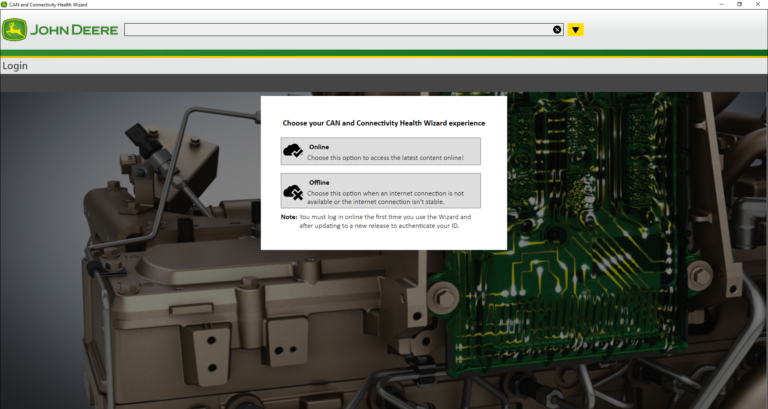
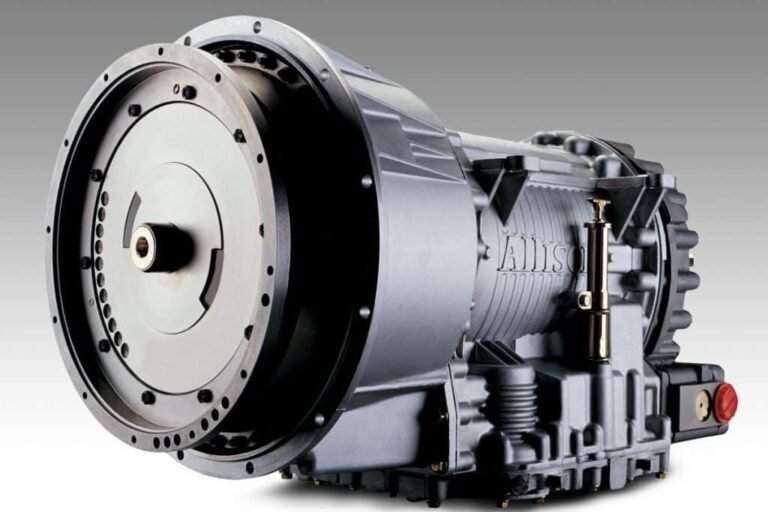
![JCB Service Master 4 Diagnostic Software is a powerful tool for professionals in the automotive and heavy machinery industry. With its easy-to-use interface, it provides a wide range of diagnostic and calibration functions for JCB machinery and engines. From construction to agricultural equipment, this software supports various JCB models, ensuring optimal performance and safety. It also offers programming capabilities and a language editing tool. Maximize your diagnostic efficiency and reliability with JCB Service Master 4 v21.4.2 [05.2021] from ecmtrucks.com.](https://ecmtrucks.com/wp-content/uploads/2024/01/JCB-4.webp)
Reviews
Clear filtersThere are no reviews yet.